
Personal health
Health
Horizons.
Where you stand against your goal today, this week, this month and this year, from the numbers already in Apple Health.
Coming soon for iPhone and Mac Tell us the outcome. We'll build it together.
The judgment your logger never gives you.
Your logger's numbers
It reads what you eat, burn and weigh from Apple Health. Nothing to re-enter.
Every horizon at once
Today, this week, this month, this year, and for good.
One clear verdict
[How it tells you plainly whether you are on track.]
Private on your device
[What stays on the phone and what never leaves it.]
Goal-aware
[How it adapts when your goal changes.]
Quiet by design
[How reminders stay useful instead of nagging.]
How it works.
- Connect Apple HealthAnd set your goal.
- Keep loggingThe way you already do.
- Check inWhenever you want to know where you stand.

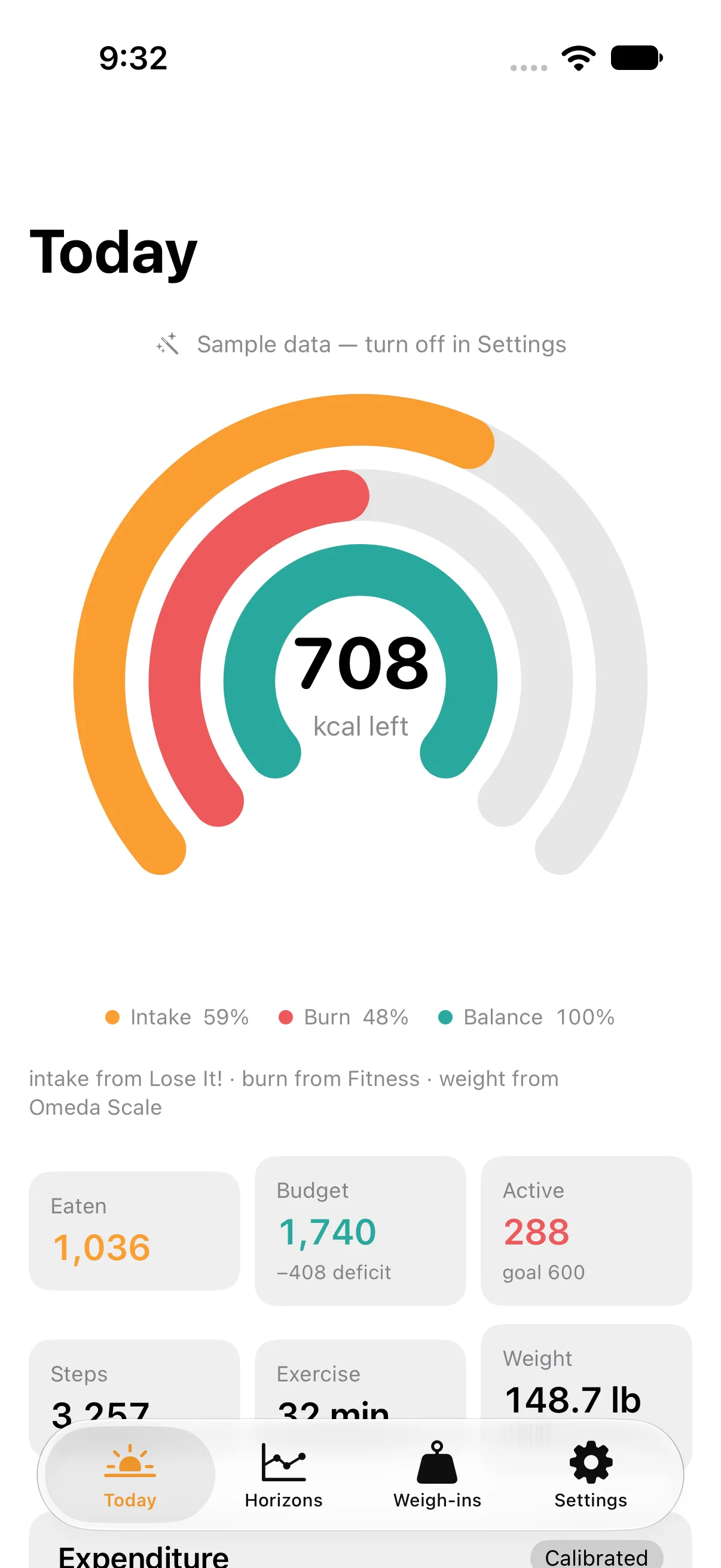
Health Horizons reads what you eat, what you burn and what you weigh from Apple Health, and it never asks you to log a meal. Keep the calorie logger you already use. Health Horizons reads its numbers out of Health and names the app each one came from, so you can always see who wrote what. The only thing it writes back to Health is the weigh-in you type.
Plenty of apps count calories. What this one adds is the judgment on top of the counting. It estimates your resting metabolism, turns that into a daily expenditure from the energy Health measured, and sets a budget from the goal you choose: lose, maintain or gain. Once a week it checks that estimate against your weight trend and calibrates, so the budget follows what your body is doing rather than what a formula assumed.
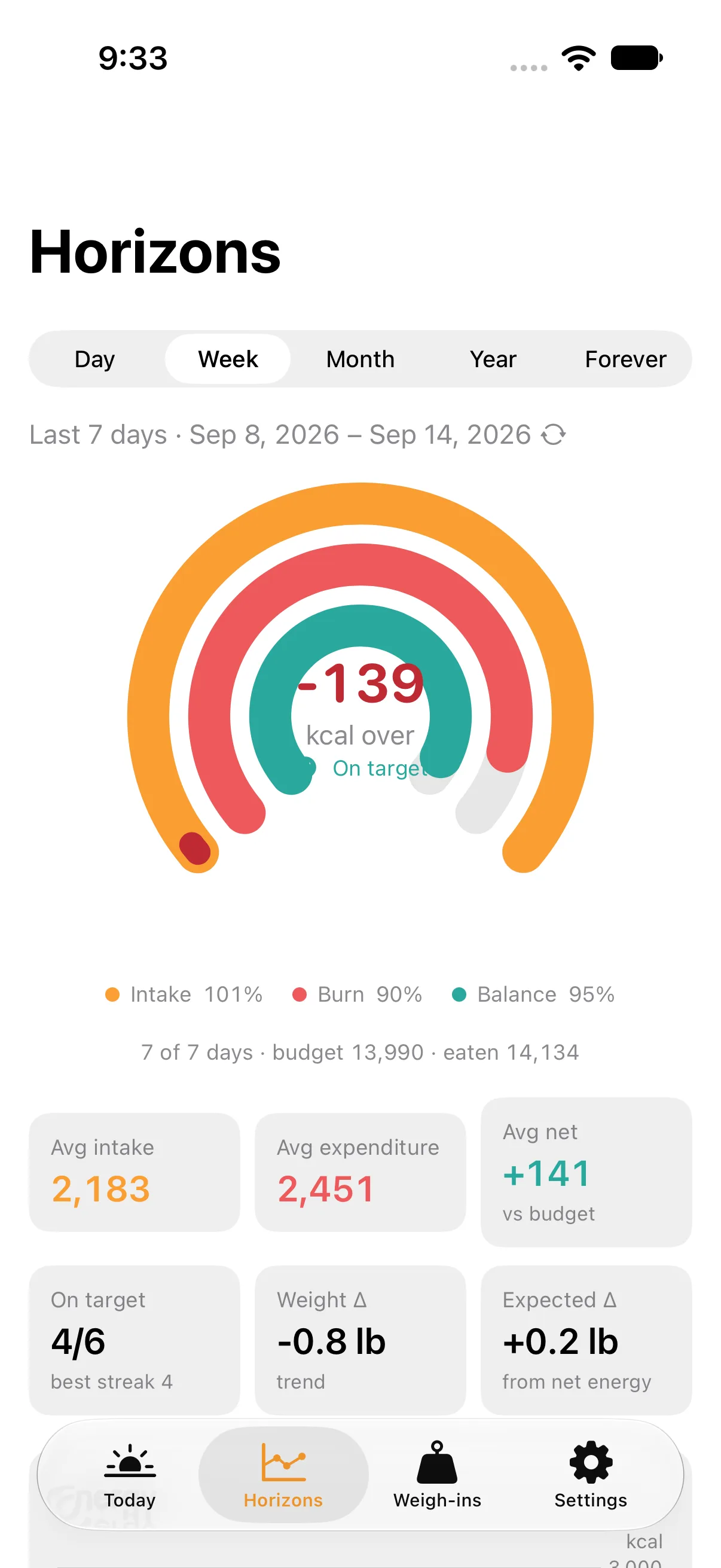
The answer is one gauge. Three arcs — intake, burn and balance — show where the day stands, and the same gauge draws the week, the month, the year and forever over that window's totals, with the number in the middle saying how much the whole window has left. A week can mean the last seven days or the week you are in, so the date label is a switch between rolling and calendar periods.
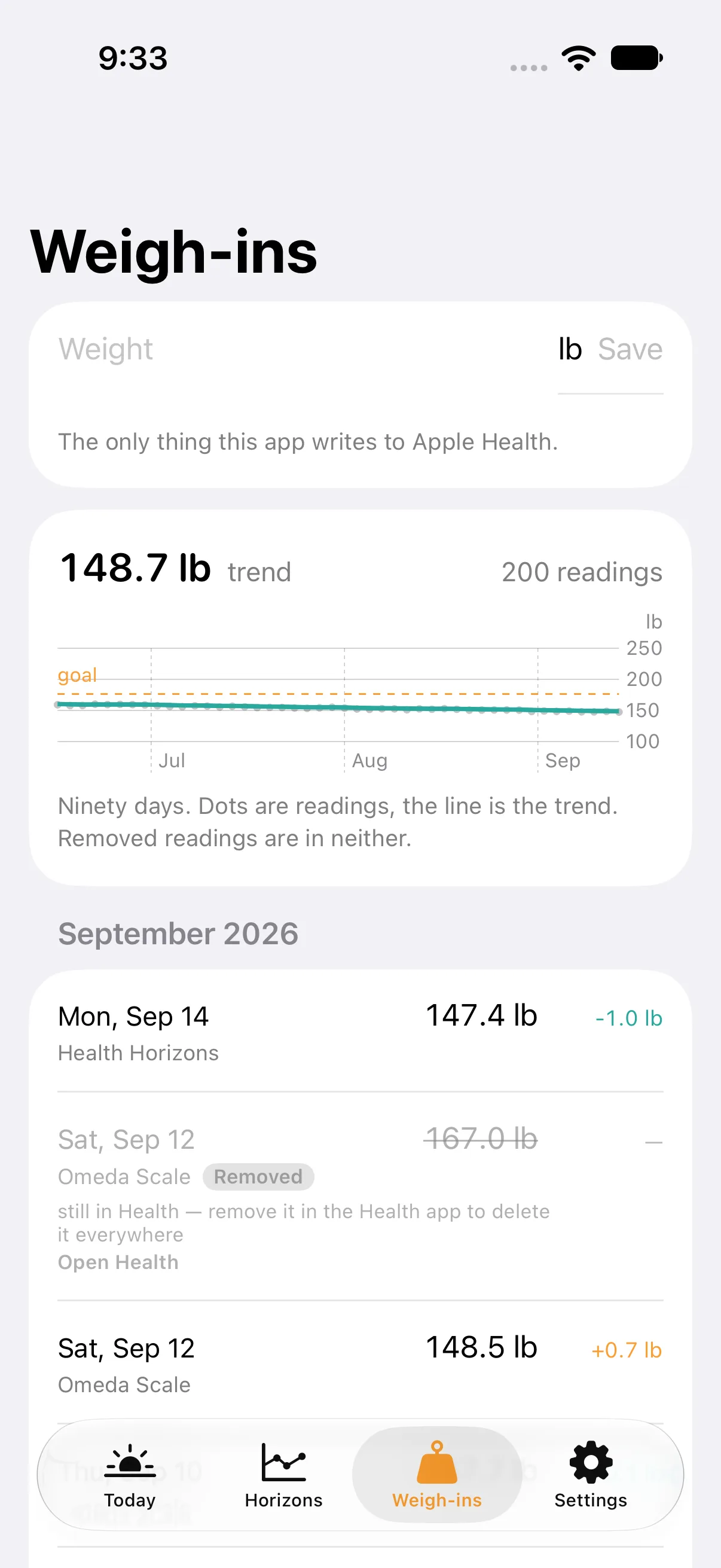
Weigh-ins get their own tab: every reading, the smoothed trend under it, and the app that wrote each one. When a scale records a reading that isn't yours, Remove takes it out of your trend and every horizon. Health only lets an app delete what it wrote itself, so a weight you typed here is deleted, and a scale's reading stays in Health with the row saying so.
Apple Health is the record. No health data goes to iCloud; Apple already syncs Health between your devices end to end, and the app's cached ledger stays on the device.
It is built iPhone first. The iPad, Apple Watch and Mac apps and the widgets live in the same codebase. Health Horizons is not on the App Store yet; the newsletter is where it will be announced.
Simple pricing.
[Refund policy in one plain sentence.]
Made in the factory. Checked by a person.
The studio’s agents build every release. None reaches you until Wayne has reviewed it.
0 votes · 0 comments · Read the thread- Version
- [v0.x]
- Last build
- [date]
- Reviewed by
- Listed before review, Oct 4, 2026
- Runs
- On your device
What people are saying.
In the factory. Comments reopen when it ships; votes are open.
No comments yet.